
Storage and back-up, so your data is still there
A laptop that dies, a folder deleted by accident, a virus that locks files. With good storage and a back-up that is annoying, not a disaster.
What is in itNAS · back-up · copy outside your building
Three copies, one outside your building
That way your data is still there, even if your building is not.
Your files
On the NAS in your building, for everyone who should have access.
Back-up in your building
A second copy on another device, for quick restores.
Back-up outside your building
A third copy somewhere else, for fire, theft and a virus.
This is called the 3-2-1 rule: three copies, on two kinds of storage, one of them somewhere else.

What you get
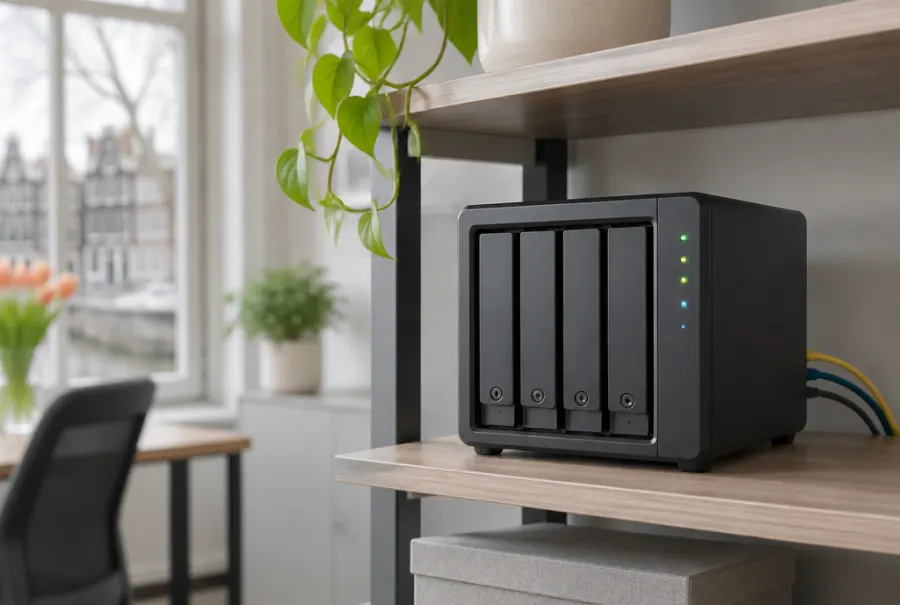
Central storage (NAS)
Files in one place, for everyone who should have access. No more loose copies on laptops and USB sticks. With several drives it keeps working when one fails. That is not a back-up.
Automatic back-up
At fixed times, without anyone having to remember. Three copies of your data, one of them outside your building.
Keeping older versions
A back-up also keeps older versions. If a folder was deleted yesterday, we bring it back from the day before.
Who can reach what
Access per person or group, so not everyone can see or delete everything.
Testing a restore
A back-up is only good if you can restore it. We test that at hand-over, and we recommend repeating it every year.
What to watch out for
A back-up is not an archive
Your bookkeeping has a legal retention period, usually seven years. A back-up keeps older versions, but not forever. Talk to your accountant about what you need to keep.
It does not prevent an attack
A back-up lets you recover after a virus or ransomware, it does not stop it happening. For that the copy must be out of the virus's reach, with older versions.
Restoring takes time
Restoring a lot of data can take hours, especially from a copy outside your building. We tell you up front how long that takes for you.
Personal data
If your files contain data on customers or staff, the copy outside your building falls under the GDPR too. We discuss where the data is stored and agree terms.
It costs per month
Storage outside your building costs money every month, depending on how much data you have. You see it in your quote up front.
Why a NAS is not enough
A NAS keeps your files in one place. Even with several drives: if the device fails, is stolen or a virus gets to it, the files are gone. A back-up is a separate copy.
A copy in the same place is also gone in a fire, a theft or a virus. That is why we keep a copy somewhere else.
Common questions
Is a NAS the same as a back-up?
No. A NAS keeps files in one place. A back-up is a separate copy, so you have them back if the device fails or is wiped.
Does this help against ransomware?
It does not prevent the attack, but you can recover. For that the copy must be out of the virus's reach and there must be older versions.
How much storage do I need?
That depends on your files and how fast they grow. We look at it during the survey and put it in your quote.
How long do you keep my back-ups?
We agree that together, depending on what you need to keep. Your bookkeeping has a legal retention period.
 Site survey
 Wifi
 Internet
 Backup power (UPS)
 Security
Want to know more?
Book a call or request a quote. We reply quickly and tell you what it costs.